Docs / Voice & wake word
Voice & wake word
Spoken replies never needed a key. Spoken input defaults to a local Whisper server, and the microphone stays off until asked to open.
The wake word
Always-on listening is off by default and turns on in Settings → Voice, or by clicking the indicator in the assistant panel, then saying "Hey Burrow." The microphone stays open after that, but nothing streams anywhere: a local energy detector only wakes transcription once someone actually speaks, and it drops back to wake-word-only after an idle period that can be set.
Matching is phonetic, so ordinary mishearings of the phrase still wake it. If a particular mishearing keeps getting missed, adding what actually gets heard as a second phrase, separated by a comma, fixes it.
The indicator
One indicator shows exactly one state at a time: off (still, struck through, meaning the microphone is released rather than muted), waiting for the wake word, listening, thinking, or speaking. While listening, it moves with the voice picked up, rather than sitting still.
Speech-to-text servers
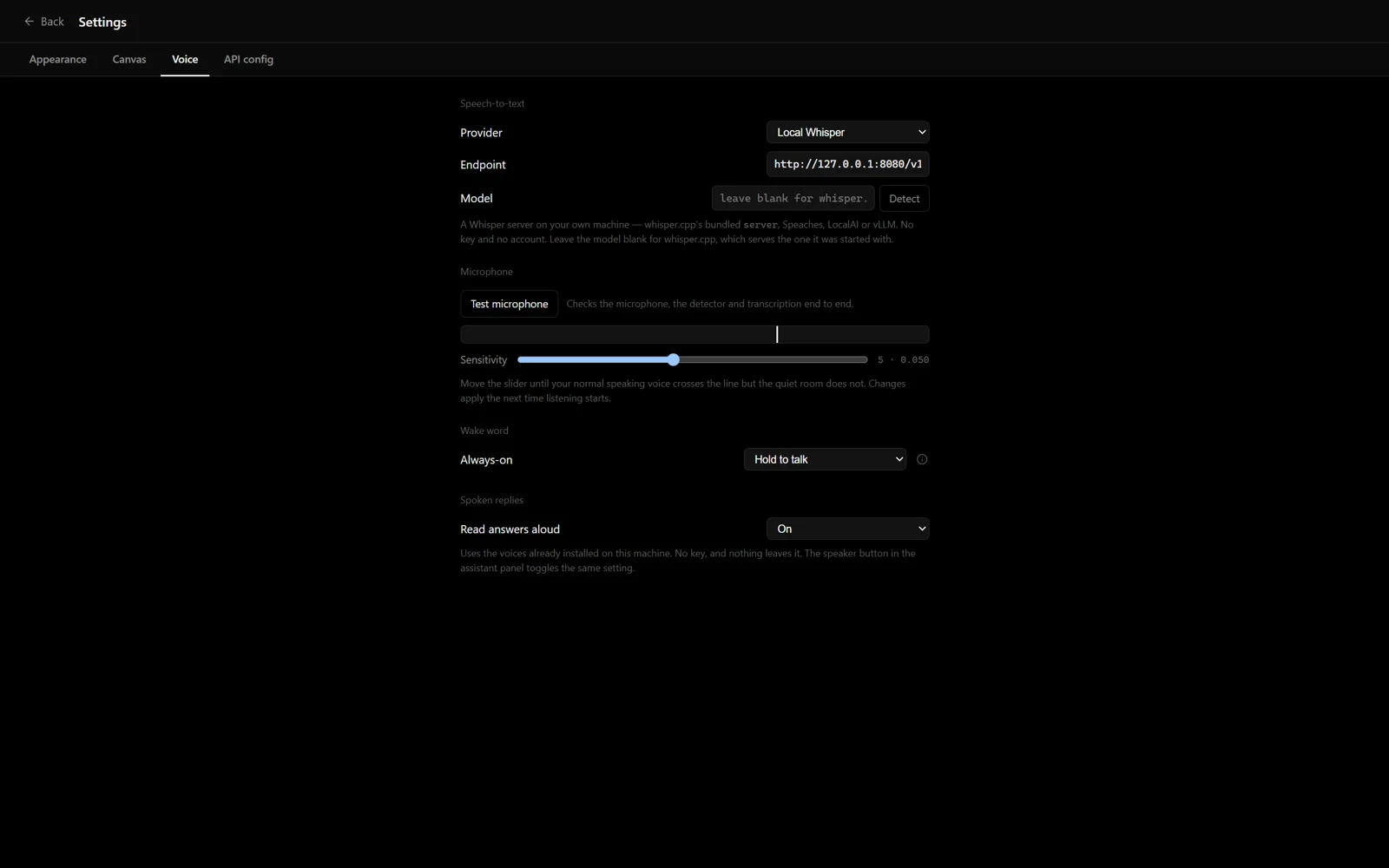
Voice input defaults to a local Whisper server at
http://127.0.0.1:8080/v1. Anything speaking the
OpenAI audio API works the same way: Speaches,
LocalAI, or vLLM. So does
whisper.cpp's
bundled server, which predates that API and answers on
/inference instead:
./build/bin/whisper-server -m models/ggml-base.en.bin --port 8080The model field stays blank for whisper.cpp, since it only ever serves the one model it started with. Recordings are converted to 16 kHz mono WAV before they are sent, matching what that server requires.
Groq, OpenAI, and Deepgram remain in the provider picker for anyone who would rather not run a server at all.
If the microphone seems not to work
Settings → Voice has a Test microphone button that runs the whole path: capture, speech detection, and transcription. It shows the live input level against the threshold deciding what counts as speech, with a slider to move that threshold. If a normal speaking voice does not cross the line, nothing further down the path will work either, and this is where that becomes visible.